
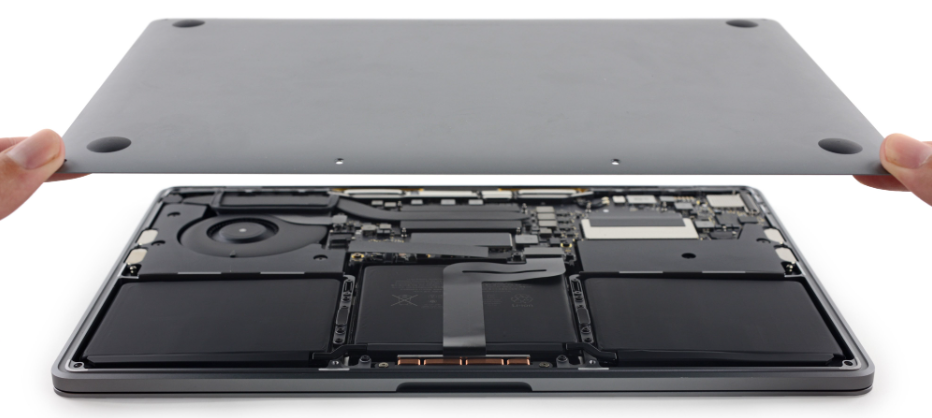
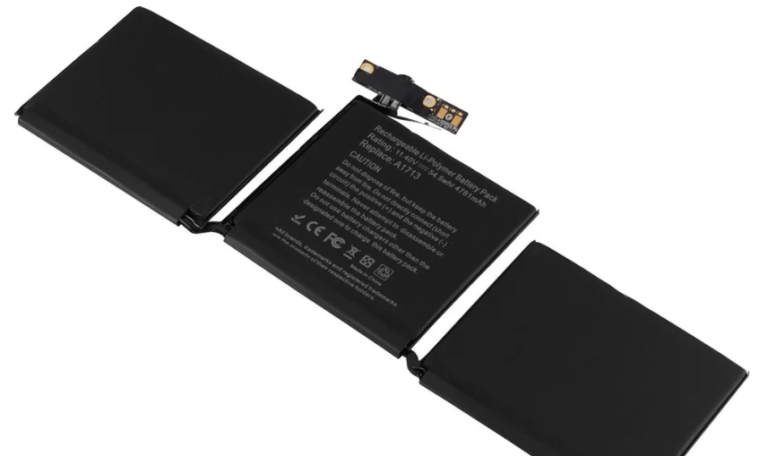
Whether you’re a student, a professional, or a creative artist, your MacBook is likely one of your most important tools. But what happens when it starts acting up? From logic board failures to display issues, MacBooks can run into a range of problems that require expert intervention. In a city like Bangalore—India’s tech capital—it might seem like a simple task to find a MacBook repair shop. However, finding a trustworthy MacBook repair shop in Bangalore is not always as easy as it sounds.
With so many options available, how do you identify which service center is reliable, experienced, and affordable? In this comprehensive guide, we will walk you through a step-by-step process to ensure you find a professional MacBook service center in Bangalore that meets your needs without compromising on quality.
Why Trust Matters in MacBook Repairs
Apple products are known for their precision engineering and complex architecture. This means:
- Unauthorized repairs can void your warranty.
- Inexperienced technicians may worsen the damage.
- Poor-quality replacement parts can affect performance and longevity.
Therefore, choosing a trusted MacBook service center in Bangalore ensures:
- Certified technicians handle your device.
- Genuine Apple parts are used.
- Transparent pricing and service are provided.
Let’s break down how to find a service center you can truly rely on.
Step 1: Identify the Problem With Your MacBook
Before you even start searching for a service center, try to understand the issue you’re facing. This will help you communicate better with technicians and avoid being overcharged or misled.
Common MacBook Issues:
- Battery not charging or draining quickly
- Keyboard not responding
- Screen flickering or black screen
- Overheating
- Liquid damage
- Trackpad issues
- Software-related problems like macOS crashes
Knowing your MacBook model (e.g., MacBook Pro 2020 M1, MacBook Air 2019) and the problem symptoms is the first step to a smooth repair experience.
Step 2: Search Online for “MacBook Repair Shops in Bangalore”
Use specific keywords like:
- “MacBook service center in Bangalore”
- “Apple MacBook repair Bangalore”
- “Best MacBook repair shop near me”
Go through the first two pages of search results, as they typically include top-rated and SEO-optimized service centers, as well as genuine customer reviews on platforms like:
- Google Reviews
- Justdial
- Sulekha
- Practo (for tech service centers)
- Trustpilot
Step 3: Check Google Reviews and Ratings
Once you have a list of potential repair shops, narrow it down by checking:
- Overall rating (Aim for 4.5 stars and above)
- Number of reviews (More than 100 reviews is ideal)
- Recent reviews (Within the last 6 months)
- Customer feedback on issues similar to yours
Look for keywords like:
- “genuine parts used”
- “quick turnaround”
- “professional staff”
- “reasonable charges”
- “best MacBook repair shop in Bangalore”
Take time to read 5–10 detailed reviews, not just the star ratings.
Step 4: Verify Their Credentials and Experience
The best MacBook service centers in Bangalore often highlight their certifications, years of experience, and expertise in handling Apple devices. Visit their website or call them and ask:
- Are your technicians Apple-certified?
- Do you provide a diagnostic report before repair?
- Is there any warranty on the repair or parts replaced?
- How long have you been in business?
- Do you repair M1 and M2 chip-based MacBooks?
Established names like iPro Care, iTweak, Lapserve, and others usually have this information readily available on their website.
Step 5: Compare Service Costs & Ask for Estimates
Before handing over your MacBook, always get a cost estimate. A trustworthy repair center will be transparent about:
- Service fees
- Cost of parts
- Diagnostic fees (if any)
- Taxes
- Warranty duration for repairs
Avoid shops that hesitate to give an estimate or try to upsell you on unnecessary repairs. Compare at least 2-3 shops before deciding.
Step 6: Visit the Repair Center In Person
If the location is within your reach, visit the shop before finalizing. This gives you an idea of:
- Cleanliness and professionalism
- Staff knowledge and friendliness
- Volume of repairs being handled (an indicator of popularity)
- Availability of tools and parts on-site
A well-maintained and busy service center is often a sign of trust and credibility.
Step 7: Ask the Right Questions
Here are key questions to ask the technician or service advisor:
- Will you be using original Apple parts or high-quality OEM parts?
- How long will the repair take?
- Is data recovery or backup included?
- Will I get a written invoice and repair summary?
- Do you offer any pickup and drop service?
- Is there a no-repair, no-charge policy?
This ensures transparency and accountability throughout the repair process.
Step 8: Choose Service Centers Offering Warranty
Reputed MacBook repair shops in Bangalore often offer up to 6 months or even 1 year warranty on:
- Replaced batteries
- Screens or displays
- Internal parts like SSDs, RAM, keyboards
- Logic board repairs
This warranty protects you from defective parts and ensures the repair was done professionally.
Step 9: Look for Additional Services
A modern and customer-focused MacBook service center will offer:
- Free diagnosis
- Same-day service for minor issues
- Free pickup & drop within Bangalore
- Cashless payment options and EMI
- WhatsApp or online booking
Such features enhance your overall experience and signal professionalism.
Step 10: Read the Fine Print
Before you authorize the repair, always read the service receipt or terms and conditions. Important points to note:
- What happens if further issues are discovered mid-repair?
- Will you be informed before they proceed?
- What is the policy if your device is damaged during the process?
Also, make sure to back up your data before handing over your MacBook, unless you are unable to due to the problem itself.
Step 11: Monitor Post-Repair Performance
Once you receive your repaired MacBook:
- Check all functions thoroughly—Wi-Fi, Bluetooth, keyboard, trackpad, webcam, charging, etc.
- Run Apple Diagnostics (press D at startup) to ensure hardware is functioning.
- Confirm that the issue you reported has been fixed as expected.
Keep the invoice and warranty slip safely in case of any issues later.
Top 5 Trustworthy MacBook Service Centers in Bangalore (As of 2025)
Here are a few popular and trusted names, based on online reviews and customer feedback:
- iPro Care – Known for fast service, genuine parts, and affordable pricing.
- iTweak – Offers doorstep service and a 6-month warranty.
- Lapserve – Specializes in Apple logic board repairs.
- Green Apple Service Center – Offers excellent support for MacBook screen and battery issues.
- Fixxo – Noted for their transparent pricing and Apple-certified technicians.
Always verify these options based on your specific needs and locality within Bangalore (Koramangala, Indiranagar, Jayanagar, Whitefield, etc.).
Final Thoughts: Choose Smart, Not Just Fast
A MacBook is an investment. Whether you’re facing a minor glitch or a major hardware failure, choosing the right repair shop can make all the difference. Bangalore offers many options, but not all are created equal. Follow this step-by-step guide to make a safe, informed, and smart decision for your MacBook repair needs.
SEO Tip: Why This Article Helps You
This guide is designed with SEO-rich keywords like “MacBook service center in Bangalore”, “MacBook repair shop near me”, and “trustworthy Apple repair Bangalore” to help users like you find accurate and local results easily.