iPro Care

How to know your Apple Watch needs a repair or a replacement

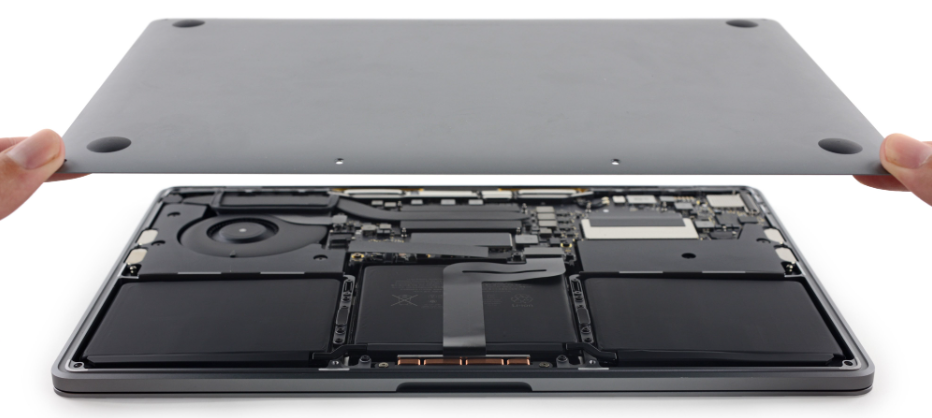
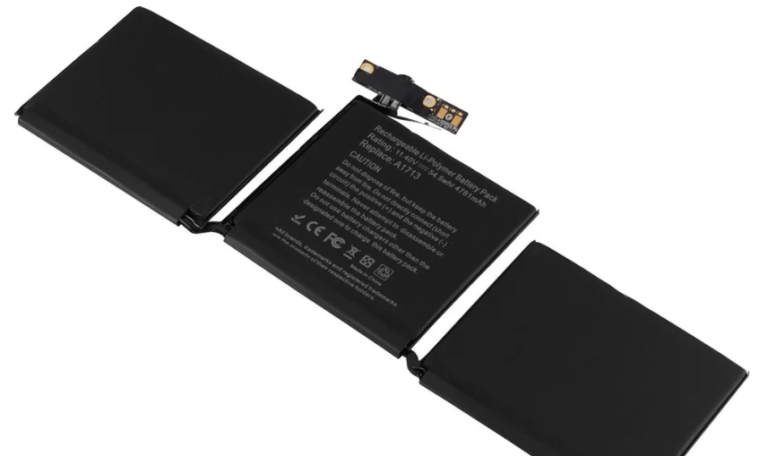
MacBook battery replacement is needed when your device drains quickly, overheats, or shuts down unexpectedly. Professional repair services can replace the battery safely, improving performance and extending your MacBook’s lifespan.

Battery Replacement

Is your MacBook not lasting as long as it used to? Battery issues are common in older devices and can significantly affect performance. If you’re searching for MacBook battery replacement, this guide will help you understand when to replace your battery and the best way to fix it quickly.

MacBook Battery Replacement

Signs You Need a MacBook Battery Replacement

Here are clear signs your battery needs attention:
  1. Battery drains very fast
  2. MacBook shuts down unexpectedly
  3. Device overheats during use
  4. Battery not charging properly
  5. “Service Battery” warning appears

If you notice these issues, it’s time to consider a MacBook battery replacement.

Why MacBook Batteries Wear Out

MacBook batteries degrade over time due to:
  1. Charge cycle limits
  2. Continuous heavy usage
  3. Overheating
  4. Using non-original chargers

Most MacBook batteries last around 2–4 years depending on usage.

Best Ways to Fix Battery Issues

1. Professional MacBook Battery Replacement.

The safest and most effective solution is choosing expert repair services.

Benefits:

  • High-quality battery replacement
  • Safe installation
  • Improved performance
  • Quick service

2. DIY Battery Replacement

Some users attempt replacing batteries themselves.

Risks include:

  • Internal damage
  • Safety hazards
  • Voiding warranty

3. Apple Authorized Service

Official services offer genuine batteries but may be more expensive and time-consuming.

How Long Does Battery Replacement Take?

Most professional MacBook battery replacement services take:
  1. 1–3 hours for standard models
  2. Same-day service in most cases

Quick repairs help minimize downtime.

Cost of MacBook Battery Replacement

The cost depends on:
  1. MacBook model
  2. Battery type
  3. Service provider

Third-party repair centers often provide affordable and reliable options.

Common Mistakes to Avoid

  1. Ignoring battery warning signs
  2. Using duplicate or low-quality batteries
  3. Overcharging your MacBook
  4. Delaying replacement too long

Avoiding these mistakes ensures better device performance.

How Long Does Battery Replacement Take?

MacBook Battery Replacement
  1. Avoid keeping your MacBook plugged in all the time
  2. Reduce screen brightness
  3. Close unused applications
  4. Keep your device cool
  5. Use original chargers

These habits reduce the need for frequent MacBook battery replacement.

A failing battery can slow down your entire workflow, but timely MacBook battery replacement can restore your device’s performance and reliability. While temporary fixes may help, professional repair is the best long-term solution.

A failing battery can significantly slow down your entire workflow, causing frequent interruptions, unexpected shutdowns, and reduced productivity. Over time, degraded battery health not only affects how long your MacBook lasts on a single charge but can also impact overall system performance. Opting for a timely MacBook battery replacement helps restore your device’s efficiency, stability, and reliability, allowing you to work without constant charging or performance issues.

While temporary fixes like adjusting settings or reducing usage may provide short-term relief, they do not solve the root problem. Professional repair ensures safe installation, high-quality components, and long-lasting results. Investing in a reliable battery replacement is a smart decision that extends your MacBook’s lifespan, improves performance, and keeps your device running smoothly for years to come

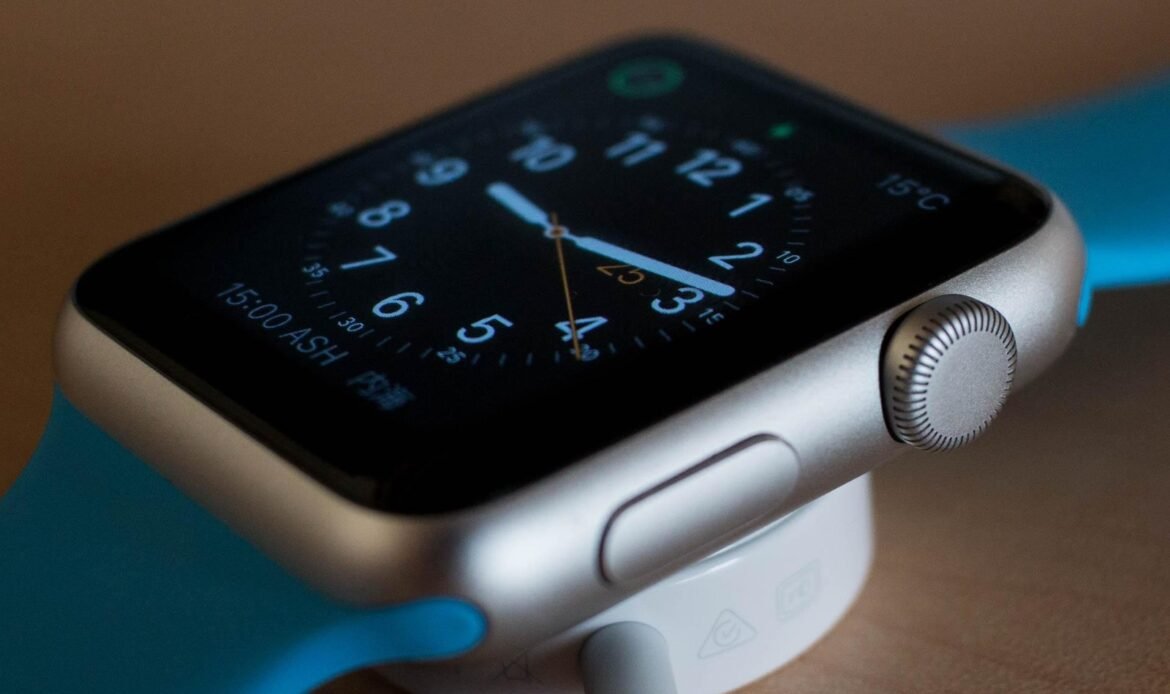
Your Apple Watch is designed to be durable, reliable, and convenient, helping you stay connected, track fitness goals, monitor health, and manage daily tasks with ease. Because it is worn daily, it is naturally exposed to constant movement, charging cycles, and everyday wear and tear. Over time, this regular use can lead to performance issues, battery decline, or physical damage. While some problems can be fixed with simple repairs, others may indicate that a replacement is the better long term option. Understanding the difference between repairable issues and signs of deeper damage can help you make a smarter decision, save money, and ensure your Apple Watch continues to perform at its best.

Table of Contents

Common Signs Your Apple Watch Needs Attention

If your Apple Watch starts showing unusual behavior, it may be time to check for possible issues. Some common signs include:

  • Battery draining much faster than usual
  • Screen cracks or display issues
  • Touch response not working properly
  • Overheating during normal use
  • Charging problems or slow charging
  • Random restarts or software lag

When Repair Is the Right Choice

In many cases, repairs are enough to restore your Apple Watch to proper working condition. Repairs are usually recommended when:

  • The screen is damaged but the device functions normally
  • Battery performance has reduced over time
  • Charging or connectivity issues occur
  • Minor internal components need replacement
  • Professional repair can extend the life of your device and help you avoid unnecessary replacement costs.

Performance and Hardware Signs to Watch For

Changes in battery performance are often one of the first signs that your Apple Watch may need attention. If the battery drains quickly, struggles to last through the day, or takes longer to charge, it could indicate battery wear that may be resolved with replacement. Display and touchscreen issues such as flickering, unresponsive touch, or visible lines can also signal internal damage. In some cases, exposure to water or moisture may lead to problems like fog under the screen, speaker malfunction, or charging issues. Identifying these signs early can help prevent further damage and increase the chances of a successful repair.

When Replacement May Be Better

Sometimes replacing the device makes more sense than repairing it. This may be the case when:

  • The watch has severe internal damage
  • Repair costs are close to the value of a new device
  • The device is very old and no longer supported by updates
  • Multiple issues occur at the same time

Cost Comparison Before Deciding

Before choosing repair or replacement, it is important to compare the repair cost with the value of a new device. If the repair cost is reasonable and the watch still performs well, repairing is often the smarter choice. However, if multiple major issues exist, replacement may offer better long term value.

Common Apple Watch Issues We See

Many users experience similar problems over time, such as battery drain, screen damage, charging issues, connectivity problems, or unresponsive buttons. Knowing that these issues are common helps users understand that most problems can often be fixed with professional repair.

How Professional Diagnosis Helps

Many users assume they need a replacement without understanding the actual problem. A professional diagnosis helps identify whether the issue is minor or serious, allowing you to make a clear and cost effective decision based on expert advice.

Still Confused? Let the Experts Help

If you are unsure whether your Apple Watch needs a repair or a replacement, don’t worry. Bring your watch to us and our experts will carefully inspect it, diagnose the issue, and guide you with the best solution. From assessment to repair, we take care of the entire process so you can have complete peace of mind.

Enquire About Your Repair

Leave Us Your Details & We Will Call You