
What Happens At A Top iPad Service Center ?
Whether it’s a cracked screen, battery issue, software glitch, or accidental liquid damage, your iPad deserves the best care possible. In Bangalore—a city synonymous with tech excellence—top-tier iPad service centers are redefining gadget repair experiences. But have you ever wondered what actually happens behind those glass doors?
Let’s take you on an inside journey of what happens at a top iPad service center in Bangalore, revealing every step from diagnosis to delivery, why these centers stand out, and how to choose the right one for your needs.
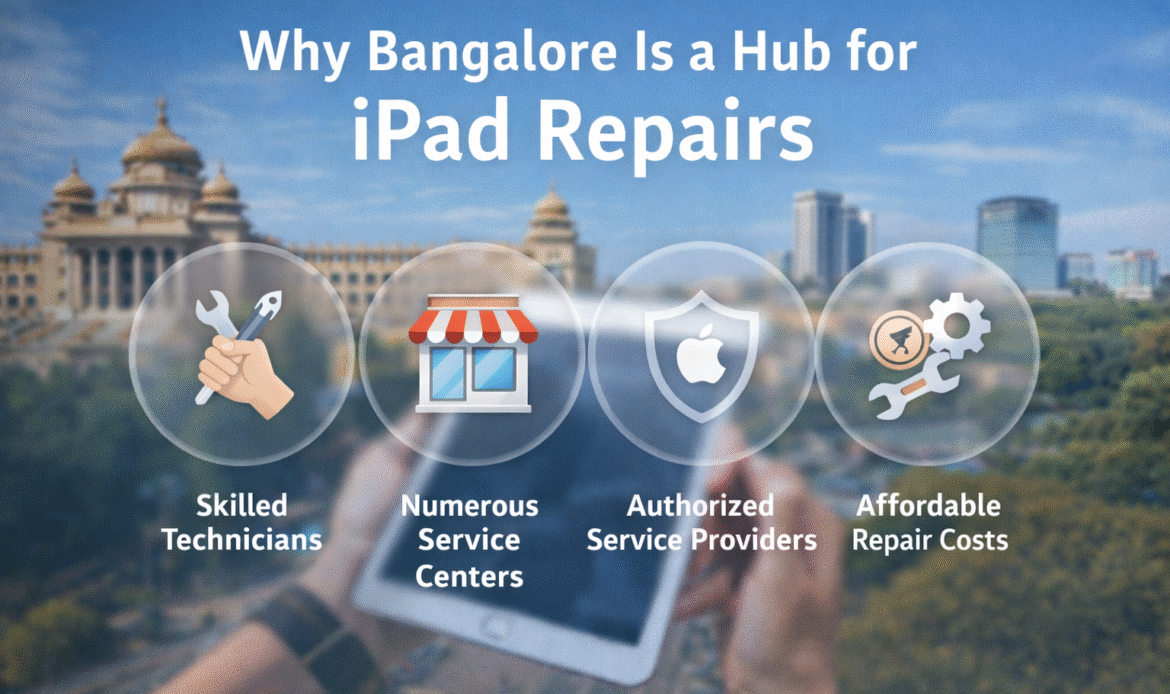
Why Bangalore Is a Hub for iPad Repairs
Step 1: Welcoming You With Diagnostic Precision
As you walk into a top iPad service center in Bangalore, the first thing you’ll notice is the professionalism in how the staff handles your concern. You’re not just a ticket number—you’re greeted by trained customer service professionals who understand how valuable your iPad is.
Initial Interaction
- Customer concern is noted. Whether it’s a screen crack, charging issue, or water damage, the service team listens carefully.
- Visual Inspection: The technician does an immediate external check for visible damage, dents, or screen issues.
- Service Request Number: A job card or ticket is generated for future tracking.
Advanced Diagnostics
At this stage, your iPad goes through a software and hardware check using industry-grade diagnostic tools. This may include:
- Battery health analysis
- Screen touch sensitivity testing
- Internal logic board status
- Charging port functionality
- iOS software errors and malware detection
This diagnosis often takes 15–30 minutes depending on the issue
Step 2: Transparent Quotation & Timeline
What’s Included in the Quote?
- Cost of original or compatible replacement parts (screen, battery, motherboard, etc.)
- Labor charges
- Warranty details on parts and service
- Expected delivery time
You are free to approve, delay, or decline the service at this stage.
Transparency is Key
Premium service centers ensure:
- No hidden charges
- Clear communication
- Digital quotations via SMS or email
- Options for express service at an extra charge
Step 3: Expert Repairs with Genuine Parts
Once approved, your iPad is taken into the repair zone—typically a dust-free, ESD (Electrostatic Discharge) protected lab.
The Repair Process Includes:
- Part replacement: Using OEM (Original Equipment Manufacturer) or Grade A compatible parts.
- Microsoldering and chip repair: For logic board or water damage repairs.
- Battery calibration: To ensure maximum power efficiency.
- Software reload or updates: For devices with software-related issues.
Top iPad service centers in Bangalore use specialized tools like:
- Hot air rework stations
- Ultrasonic cleaners for water damage
- Laser machines for back glass removal (if applicable)
- Anti-static wristbands and gloves for safe handling
Technicians Make the Difference
These centers hire Apple-certified or trained technicians with years of experience in iPad repairs. From the iPad Mini to iPad Pro M2 models, every device is handled with expertise and care.
Step 4: Quality Checks & Assurance
Before the iPad is handed back to you, it undergoes a multi-point quality assurance process.
Post-Repair Tests Include:
- Display brightness and pixel tests
- Battery cycle and drain test
- Wi-Fi, Bluetooth, and GPS module checks
- Charging and data port checks
- Face ID or Touch ID functionality
- Speaker and microphone tests
Only after all benchmarks are cleared is the device marked as “Ready for Delivery.”
Final Cleaning
Your iPad is cleaned using soft microfiber cloths and alcohol-free screen cleaners so it’s returned in a like-new condition.
Step 5: Pickup, Delivery & After-Support
Pickup & Delivery Options
Top centers in Bangalore offer:
- Doorstep pickup and delivery
- Same-day repairs (for select issues)
- Real-time tracking of repair status
This convenience is especially useful for professionals, students, or anyone with a tight schedule.
Warranty on Repairs
A major hallmark of a trusted iPad service center in Bangalore is warranty-backed service.
- Most parts come with 3 to 12 months warranty.
- Labor is covered for a limited duration.
- After-service issues are promptly handled.
Additional Services Offered by Leading iPad Centers
Many advanced repair centers also offer:
1. Data Recovery Services
Accidental deletion? Liquid damage? They use sophisticated tools to recover data safely.
2. iCloud Unlock Support
For users facing activation lock issues (with proof of ownership), authorized centers may assist or guide on next steps.
3. Trade-In Options
Some centers help users trade their old iPads for refurbished ones with warranty.
4. Accessories and Add-Ons
Need a new case, screen protector, or charging adapter? Many service centers stock premium accessories for Apple devices
Why Choose a Top iPad Service Center in Bangalore?
When it comes to expensive devices like iPads, quality repair isn’t optional—it’s essential. Here’s why choosing a top-rated iPad service center in Bangalore is the right move:
✅ Authentic Parts
Only original or certified high-quality parts are used.
✅ Speed & Efficiency
Many offer same-day repairs for common issues like screen and battery replacements.
✅ Customer Transparency
From quotes to final bills, everything is shared clearly—no surprises.
✅ Warranty & Support
Peace of mind with parts and service warranty.
✅ Experienced Technicians
Qualified hands reduce repair risks and extend device life.
How to Identify a Trustworthy iPad Service Center in Bangalore
Here’s a checklist to help you choose wisely:
| Criteria | What to Look For |
|---|---|
| Google Reviews | 4.5+ star ratings with positive customer feedback |
| Certifications | Apple-certified or trained technicians |
| Diagnostics | Free or low-cost diagnostic services |
| Transparency | Clear quotes with breakdowns |
| Turnaround Time | Same-day or 24–48 hours for most issues |
| Pickup/Drop Options | Availability of convenient delivery services |
| Genuine Parts | OEM or equivalent-grade parts |
| After-Support | Responsive post-repair service and warranty claims |
Conclusion: Trust Only the Best for Your iPad
Your iPad is more than a gadget—it’s a productivity tool, entertainment hub, and often, a lifeline. When it breaks down, you deserve repair services that are fast, reliable, and trustworthy.
By choosing a top iPad service center in Bangalore, you’re not just repairing a device—you’re preserving your investment, ensuring data safety, and regaining peace of mind.
Screen, battery, charging port, motherboard, and software repairs.
Usually 1–3 hours for basic repairs; 1–3 days for complex issues.
Yes, reputed centers use genuine or high-quality OEM parts.
Yes, professional centers follow strict data privacy practices.
It depends on the model and issue, but prices are competitive.