
How to Fix a Cracked iPhone Screen Quickly
Introduction
A cracked iPhone screen is one of the most common problems users face today. Whether you dropped your phone or accidentally applied pressure, screen damage can affect usability and safety. If you’re searching for iPhone screen repair, this guide will help you understand quick fixes, repair options, and when to seek professional help.
iPhone screen repair involves fixing or replacing a cracked or damaged display using professional tools or expert services. While minor cracks may be manageable temporarily, the best solution is a proper screen replacement to restore full functionality and prevent further damage.
iPhone screen repair involves fixing or replacing a cracked or damaged display using professional tools or expert services. While minor cracks may be manageable temporarily, the best solution is a proper screen replacement to restore full functionality and prevent further damage.

What is iPhone Screen Repair?
iPhone screen repair refers to fixing or replacing the damaged glass or display of your iPhone. It may include:
- Replacing the outer glass
- Fixing touch sensitivity issues
- Repairing display problems like flickering or dead pixels
Modern iPhones have delicate screens, so proper repair is essential to restore performance.
Quick Temporary Fixes for Cracked Screens
Before going for a full iPhone screen repair, you can try these temporary solutions:
1. Apply a Screen Protector
A screen protector prevents cracks from spreading and protects your fingers.
2. Use Clear Tape (Emergency Fix)
Applying transparent tape over the crack helps keep the glass intact.
3. Avoid Pressure on Screen
Do not press hard or keep your phone in tight pockets.
👉 Note: These are short-term fixes and not permanent solutions.
Professional iPhone Screen Repair (Best Option)
For long-term results, professional iPhone screen repair is highly recommended.
Benefits:
- Safe and precise repair
- High-quality replacement parts
- Restores original touch and display quality
- Saves time and avoids further damage
Professional technicians use specialized tools to ensure your device works like new.
DIY iPhone Screen Repair – Is It Worth It?
Many people consider fixing their phone at home. While DIY screen repair is possible, it comes with risks.
Cons:
- Risk of further damage
- Requires special tools
- Can void warranty
- Complex for beginners
Pros:
- Lower cost
- Learning experience
iPhone Screen Repair Cost
The cost of iPhone screen repair depends on:
- iPhone model
- Type of damage
- Quality of replacement parts
Generally, newer models cost more due to advanced display technology.
How Long Does It Take?
Most professional screen repair services take:
- 30 minutes to 2 hours (basic repairs)
- Same-day service in many cases
Common Mistakes to Avoid
When dealing with screen repair, avoid these mistakes:
- Ignoring small cracks
- Attempting repair without tools
- Choosing cheap, low-quality parts
- Delaying repair (can worsen damage)
Tips to Prevent Screen Damage
Prevention is always better than repair. Follow these tips:
- Use a tempered glass protector
- Invest in a shockproof case
- Avoid keeping phone with keys or sharp objects
- Handle your phone carefully
A cracked screen doesn’t mean the end of your device. With the right iPhone screen repair solution from iphone screen repair, you can restore your phone quickly and efficiently. While temporary fixes can help, professional repair at iPro Care remains the best option for long-term results.
If you want a hassle-free experience, always choose trusted experts like iPro Care who can ensure quality, reliability, and fast service.
FAQs
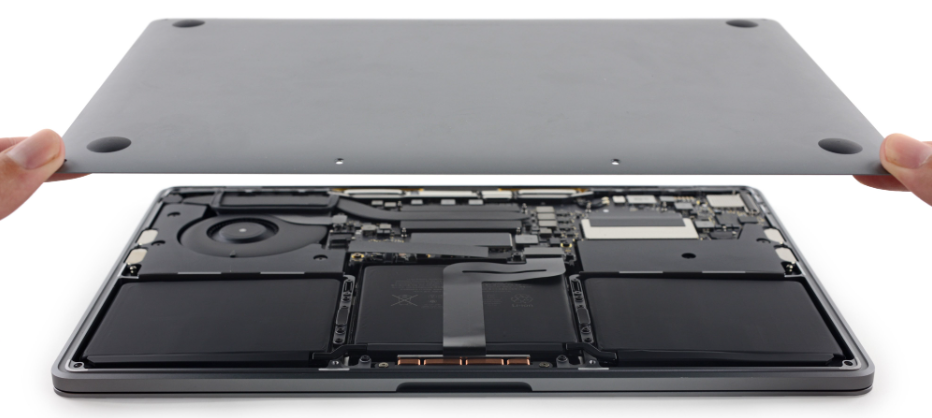
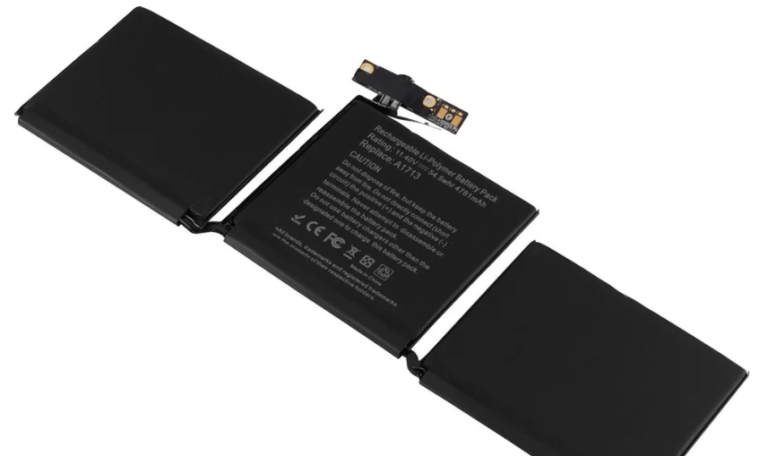
How do I know if my MacBook battery needs replacement?
You can identify the need for a MacBook battery replacement if your device starts draining power very quickly even after a full charge. Other common signs include unexpected shutdowns, overheating, or your MacBook not charging properly. You may also see a “Service Battery” warning in system settings. If these issues persist, it’s a clear indication that your battery health has degraded and needs replacement.
Is battery replacement safe?
Yes, MacBook battery replacement is completely safe when performed by trained professionals using high-quality or genuine parts. Experts follow proper procedures to avoid damage to internal components and ensure secure installation. Attempting replacement without experience can lead to safety risks like short circuits or damage. That’s why choosing a reliable repair service is always recommended.
How long will a new battery last?
A new MacBook battery typically lasts between 2 to 4 years, depending on how you use and maintain your device. Factors like charging habits, temperature exposure, and heavy usage can affect battery lifespan. Regular maintenance and avoiding overcharging can help extend its performance. With proper care, your MacBook battery replacement can provide long-lasting and reliable usage.
Can I replace the battery myself?
While it is technically possible to perform a MacBook battery replacement yourself, it requires specialized tools and technical knowledge. Modern MacBooks have tightly sealed designs, making the process complex and risky. Any mistake can damage internal components or void your warranty. For safety and better results, it’s always best to rely on professional repair technicians.
Does battery replacement improve performance?
Yes, replacing an old or damaged battery can significantly improve your MacBook’s overall performance. A weak battery can slow down processing speed and cause system instability. After a proper MacBook battery replacement, your device will run smoother, last longer on a single charge, and perform more efficiently. It also helps prevent sudden shutdowns and overheating issues.